
A Chrome extension for organizing tabs by category with colored groups, emoji markers, and powerful productivity features to keep you focused.
Powerful tab management and productivity features designed to enhance your browsing experience

Clean, organized view of all your categorized tabs with easy access to key features
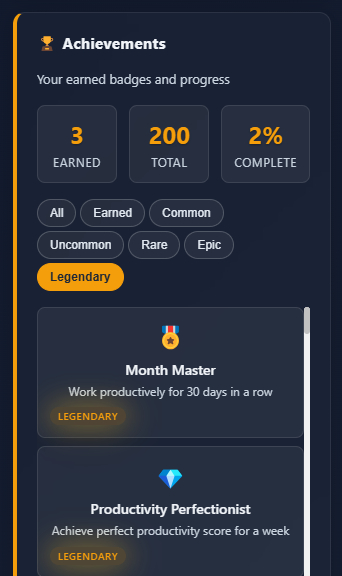
200 unique badges to gamify your productivity and track your progress
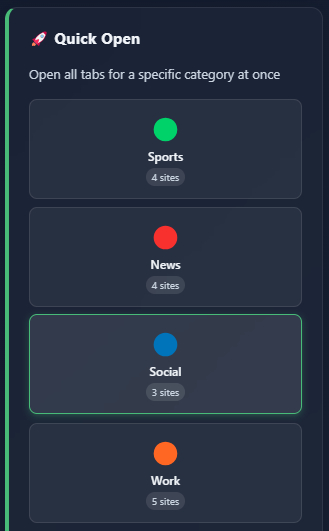
Instantly open all tabs for any category with one click
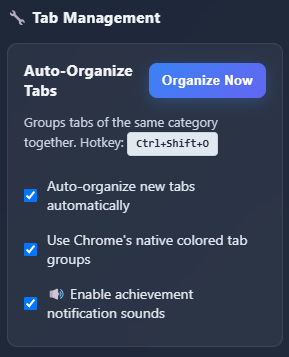
Customize your TabWarrior experience with powerful configuration options

Fine-tune your tab organization rules and automation preferences
Create and manage custom categories with personalized colors and emojis

Dive deep into specific categories to see all related tabs and sites

See how tabs are automatically organized with colored groups and labels
Choose from carefully crafted productivity tools to create the perfect workflow in seconds—even if you're not a power user.
Automatically organize tabs by website into colored categories with emoji markers
Seamlessly integrate with Chrome's native tab groups for the best experience
200 unique achievements to gamify your productivity and track your progress
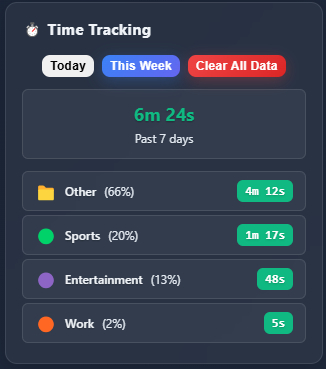
Monitor how much time you spend in each category to improve your focus
Lightning-fast tab management with customizable keyboard shortcuts
Hide distracting tabs to maintain focus on what matters most
Instantly open all tabs for a specific category with one click
Automatically organize new tabs as you browse for seamless workflow
Create URL patterns that automatically categorize websites as you visit them
Export your tab organization settings and share them with your team for consistent workflows.